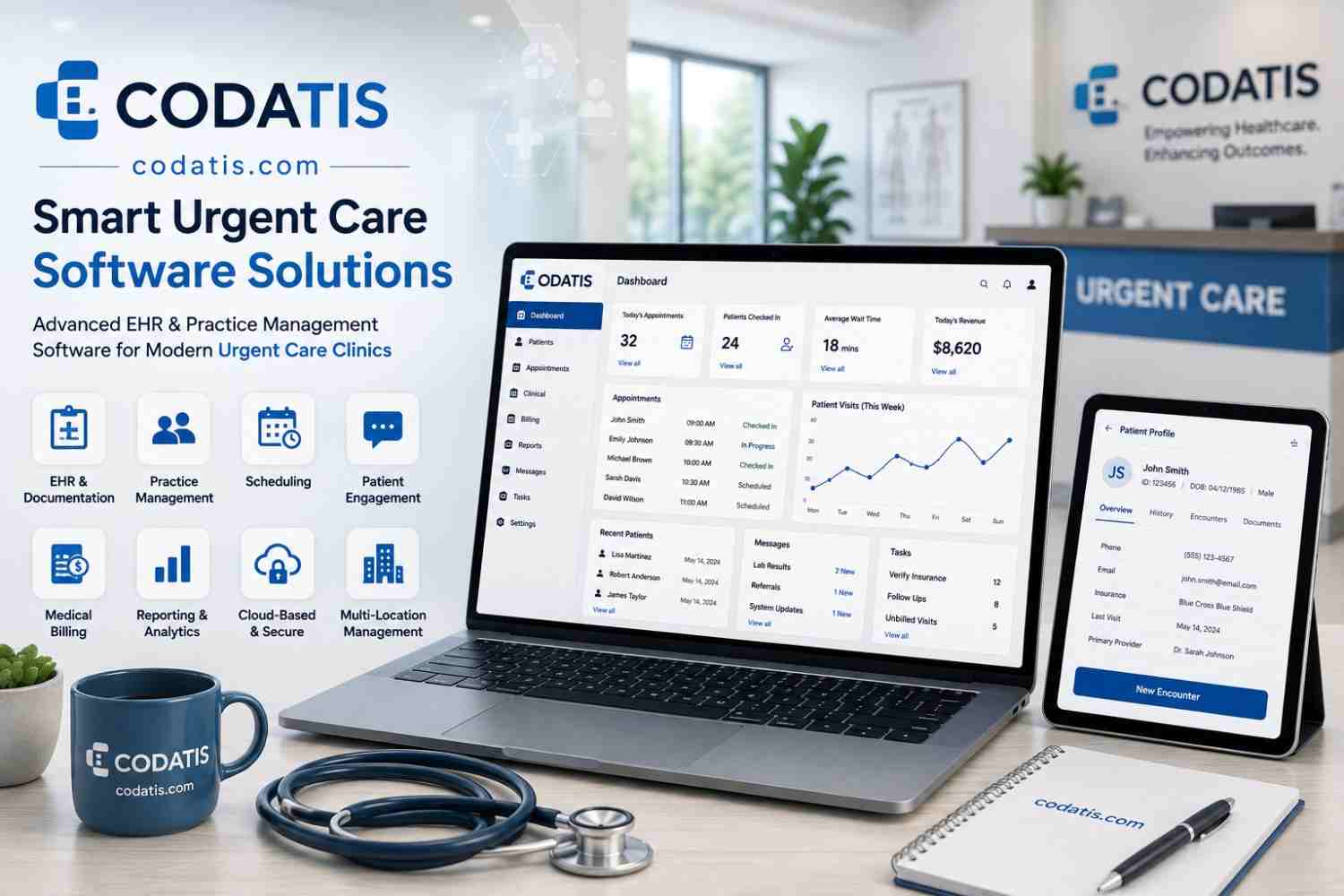
Urgent care clinics must manage a continuous flow of patients while keeping clinical and administrative operations organized. A typical day may involve walk-in patients, scheduled visits, insurance verification, clinical documentation, diagnostic orders, prescriptions, follow-ups, billing, and communication between multiple departments.
When these activities depend on disconnected processes, even simple tasks can create delays. Staff may need to enter information repeatedly, providers may wait for missing data, and administrative teams may spend valuable time tracking tasks manually.
Modern urgent care software solutions are designed to connect these workflows and create a more coordinated operating environment. By automating repetitive processes and making information available to the right users at the right time, technology can help urgent care organizations improve efficiency without compromising the quality of patient care.
Understanding Workflow Challenges in Urgent Care
Urgent care environments are different from many traditional outpatient practices. Patient demand can change significantly throughout the day, and clinics must be prepared to accommodate both scheduled and unexpected visits.
Common workflow challenges include:
- Long registration processes
- Repetitive data entry
- Delays in insurance verification
- Communication gaps
- Slow documentation
- Manual task tracking
- Disconnected billing processes
- Difficulty monitoring patient queues
- Limited visibility into daily operations
These challenges can affect both staff productivity and the overall patient experience.
A well-integrated urgent care EHR system can help organize many of these processes within a centralized environment.
Creating a Connected Patient Workflow
One of the biggest advantages of integrated healthcare technology is the ability to connect different stages of the patient’s visit.
A typical workflow can include:
Registration → Verification → Triage → Provider Visit → Orders → Treatment → Checkout → Billing → Follow-Up
When information moves electronically between these stages, staff may spend less time transferring information manually.
For example, demographic information entered during registration can populate relevant parts of the patient’s record instead of requiring staff to enter it again.
Digital Patient Intake
Patient intake is often the first major administrative interaction at an urgent care clinic.
Paper-based intake can require staff to:
- Distribute forms.
- Collect completed paperwork.
- Review information.
- Manually enter data.
- Correct missing information.
- File documentation.
Digital intake can reduce several of these manual steps.
Patients can provide information electronically, while staff can review submissions and identify missing details before the clinical encounter.
This can help create a more consistent registration process.
Improving Patient Flow
Patient flow has a direct impact on the urgent care experience.
If patients remain in one stage for too long, delays can spread throughout the clinic. Technology can provide staff with better visibility into the status of each encounter.
For example, a system can help staff identify whether a patient is:
- Waiting for registration
- Waiting for triage
- Waiting for a provider
- Waiting for laboratory results
- Ready for discharge
- Waiting for checkout
This visibility allows teams to coordinate tasks more effectively.
Automating Routine Administrative Tasks
Automation can reduce the amount of time staff spend performing repetitive activities.
Depending on the system, automated workflows may support:
- Appointment reminders
- Patient notifications
- Task assignments
- Eligibility checks
- Documentation prompts
- Follow-up reminders
- Claim workflows
- Report generation
The objective is not to eliminate staff involvement. Instead, automation allows employees to focus more attention on tasks that require judgment and personal interaction.
Coordinating Front-Office and Clinical Teams
Communication between administrative and clinical employees is essential in urgent care.
Front-desk staff need to know when patients are ready for the next stage, while providers and nurses need accurate registration and insurance information.
A centralized system can provide shared visibility into relevant workflow status.
For example, once a patient completes registration, the clinical team can see that the encounter is ready for the next step without requiring a phone call or physical paperwork.
Supporting Triage Workflows
Triage plays an important role in urgent care because patients may arrive with a wide range of symptoms and conditions.
An electronic system can help staff document relevant information consistently and make that information available to the treating provider.
Triage documentation may include:
- Chief complaint
- Vital signs
- Symptoms
- Relevant history
- Allergies
- Medication information
- Initial observations
Structured information can make it easier for providers to review the patient’s status before beginning the examination.
Reducing Duplicate Data Entry
Duplicate data entry is a common source of administrative inefficiency.
When the same information must be entered into multiple systems, employees spend more time on documentation and the risk of inconsistent information increases.
Integrated platforms can help reduce duplication by allowing information to flow between related workflows.
For example, patient demographics collected during registration can be available within clinical documentation and billing workflows without requiring separate manual entry.
Connecting Clinical and Administrative Information
An effective technology environment should not treat clinical and administrative workflows as completely separate processes.
Clinical information can influence administrative activities, while administrative information can affect the provider’s ability to complete the encounter.
For example:
- Insurance information can support billing.
- Provider documentation can support coding.
- Diagnosis information can support claims.
- Appointment information can support scheduling.
- Patient contact details can support follow-up communication.
Connecting these processes can create a more efficient operational cycle.
Managing Orders and Results
Urgent care providers may order laboratory tests, imaging, or other diagnostic services during an encounter.
A connected system can help staff monitor orders and results.
Instead of relying on separate paper processes, authorized users can track whether an order has been placed, whether a result has been received, and whether appropriate follow-up is required.
This can improve information visibility and reduce the likelihood of overlooked tasks.
Streamlining Prescription Workflows
Prescription management can also become part of the digital patient workflow.
An urgent care EMR software platform can allow providers to create and manage prescriptions electronically while maintaining medication information within the patient record.
When prescription information is connected to the clinical record, providers can more easily review relevant medication history during the encounter.
Improving Checkout Processes
The patient journey does not end when the provider completes the clinical documentation.
Checkout may involve:
- Reviewing instructions
- Providing documentation
- Scheduling follow-up
- Collecting payments
- Confirming patient information
Digital workflows can help staff complete these steps consistently and reduce unnecessary delays.
Connecting Workflows With Billing
One of the most important workflow connections is the transition from clinical care to revenue cycle management.
When documentation and billing systems are disconnected, billing teams may have to manually review records and enter information into another application.
An integrated system can help move relevant encounter information toward coding and billing workflows.
This can support:
- Charge capture
- Coding review
- Claim preparation
- Payment tracking
- Denial follow-up
Better workflow connectivity can help reduce administrative friction between clinical and financial teams.
Automating Patient Communication
Patients often need information before and after their visit.
Automated communication can support:
- Appointment reminders
- Registration instructions
- Follow-up messages
- Patient notifications
- General practice communications
Automation can reduce the number of routine calls handled by front-office employees while helping patients receive information at appropriate points in the care process.
Managing Follow-Up Activities
Follow-up tasks can be difficult to manage when they depend entirely on manual reminders.
A digital workflow can help staff track outstanding activities and assign responsibilities.
For example, a practice may need to follow up on:
- Diagnostic results
- Referral requests
- Medication-related questions
- Follow-up appointments
- Patient communications
Centralized task management can make these responsibilities more visible.
Using Workflow Analytics
Managers need to understand where bottlenecks occur.
Operational reporting can provide information about:
- Average wait times
- Patient volumes
- Visit duration
- Provider workload
- Appointment utilization
- Registration times
- Checkout times
- Daily trends
This information can help administrators identify areas that may require process improvements.
For example, if patient wait times consistently increase during a particular period, management can investigate staffing patterns, appointment scheduling, or registration capacity.
Supporting Staff Productivity
Technology can improve productivity when it reduces unnecessary administrative work.
Consider a workflow where an employee must manually transfer information between three different systems. Even if each individual task takes only a few minutes, the accumulated time can become significant across hundreds of patient encounters.
Automation and integration can reduce these repetitive steps and allow staff to spend more time on patient-facing responsibilities.
Standardizing Workflows Across the Organization
Consistency becomes especially important as an urgent care organization grows.
Different employees or locations may develop their own methods for completing the same tasks. This can make training, reporting, and quality management more difficult.
A centralized technology platform can help organizations establish standardized workflows.
Standardization can support:
- Consistent documentation
- Uniform administrative procedures
- Common reporting
- Centralized policies
- Easier employee training
Practices can still allow appropriate flexibility while maintaining core organizational standards.
Workflow Customization
Standardization does not mean every clinic must operate identically.
Healthcare organizations may need to adjust workflows based on location, staffing, patient volume, or service offerings.
A flexible urgent care EMR system should ideally allow appropriate configuration without requiring excessive technical development.
Administrators should determine which workflows can be configured internally and which require vendor assistance.
The Role of Mobile Access
Mobile access can support workflows when employees need to move between different areas of the clinic.
Depending on the platform, authorized staff may be able to access information using supported mobile devices.
This can be useful for providers and administrators who do not remain at a single workstation throughout the day.
Security controls should remain in place regardless of the device used to access the system.
Supporting Multi-Department Workflows
Urgent care operations involve multiple teams, including:
- Front office
- Nursing
- Physicians
- Billing
- Management
- Administrative support
Each department has different responsibilities, but their workflows are interconnected.
A centralized system can provide role-specific access while allowing information to move between departments as appropriate.
This reduces the need for employees to maintain separate records or rely on informal communication.
How to Measure Workflow Improvements
Implementing technology should be followed by measurable evaluation.
Practices can monitor indicators such as:
Patient Wait Time
Measure whether patients are moving through the clinic more efficiently.
Documentation Time
Evaluate how long providers spend completing records.
Registration Time
Compare the time required to register patients before and after workflow changes.
Billing Turnaround
Monitor how quickly completed encounters move into billing.
Administrative Workload
Track the amount of manual work required for routine processes.
These measurements can help determine whether the technology is producing meaningful operational improvements.
Common Workflow Mistakes to Avoid
Technology alone cannot solve inefficient processes.
Practices should avoid:
- Automating a poorly designed workflow
- Creating unnecessary steps
- Using excessive alerts
- Failing to train employees
- Ignoring staff feedback
- Maintaining unnecessary duplicate systems
- Changing too many processes at once
The goal should be to simplify workflows rather than simply digitize existing inefficiencies.
Building a More Efficient Urgent Care Environment
The most effective workflow strategy combines technology with clear processes and staff accountability.
Before implementing new automation, practices should identify where delays occur. Then they can determine whether the solution is process redesign, technology integration, staff training, or a combination of these approaches.
A successful implementation should make daily work easier rather than adding complexity.
Evaluating Workflow Support During a Demo
When evaluating an urgent care EMR Demo, practices should ask vendors to demonstrate complete workflows rather than isolated features.
For example, request a walkthrough showing how a patient moves from registration to clinical care, checkout, and billing.
Also ask how the system handles exceptions, such as incomplete registration information, canceled appointments, missing diagnostic results, or rejected claims.
This can provide a much more realistic understanding of the platform’s workflow capabilities.
Conclusion
Efficient workflows are essential for urgent care organizations dealing with unpredictable patient volumes and time-sensitive healthcare services. Connecting registration, clinical care, diagnostics, communication, checkout, and billing can reduce unnecessary administrative work and improve visibility across the organization.
The right urgent care software should help teams coordinate their responsibilities rather than creating additional complexity. Automation, centralized information, workflow tracking, and reporting can help practices identify bottlenecks and improve operational consistency.
For healthcare organizations seeking to modernize their urgent care workflows, codatis can be considered as part of the technology evaluation process, with the final decision based on the practice’s specific workflow, staffing, integration, and growth requirements.
FAQs
1. How can urgent care software improve clinical workflows?
It can connect patient information, documentation, orders, results, prescriptions, and other clinical activities within a centralized workflow, helping providers access information and complete tasks more efficiently.
2. Can software reduce patient wait times in urgent care?
Technology can help improve visibility into patient queues, registration, provider availability, and workflow status. However, actual wait-time improvements also depend on staffing, processes, patient volume, and clinic operations.
3. How does workflow automation help urgent care staff?
Automation can reduce repetitive tasks such as reminders, notifications, eligibility checks, task assignments, and certain administrative workflows, allowing staff to focus on higher-value responsibilities.
4. Can urgent care EMR software connect clinical and billing workflows?
Yes, depending on the platform. Integrated systems can connect encounter documentation with coding, charge capture, claims, payment, and other revenue cycle processes.
5. What should a clinic test during an urgent care EMR demo?
A clinic should test realistic end-to-end workflows, including registration, triage, clinical documentation, orders, prescriptions, checkout, billing handoff, reporting, and handling of common workflow exceptions.